2020-05-21 23:33:10 +07:00

2020-05-21 23:33:46 +07:00
# wireguard-ui
2020-04-25 11:13:29 +07:00
A web user interface to manage your WireGuard setup.
## Features
- Friendly UI
- Authentication
- Manage extra client's information (name, email, etc)
- Retrieve configs using QR code / file
## Run WireGuard-UI
2020-05-21 15:51:24 +07:00
Default username and password are `admin` .
### Using docker compose
You can take a look at this example of [docker-compose.yml ](https://github.com/ngoduykhanh/wireguard-ui/blob/master/docker-compose.yaml ). Please adjust volume mount points to work with your setup. Then run it like below:
2020-04-25 11:13:29 +07:00
```
docker-compose up
```
2020-05-21 15:51:24 +07:00
### Using binary file
Download the binary file from the release and run it with command:
```
./wireguard-ui
```
2020-04-25 11:16:20 +07:00
2020-04-25 11:13:29 +07:00
## Auto restart WireGuard daemon
WireGuard-UI only takes care of configuration generation. You can use systemd to watch for the changes and restart the service. Following is an example:
Create /etc/systemd/system/wgui.service
```
[Unit]
Description=Restart WireGuard
After=network.target
[Service]
Type=oneshot
ExecStart=/usr/bin/systemctl restart wg-quick@wg0 .service
```
Create /etc/systemd/system/wgui.path
```
[Unit]
Description=Watch /etc/wireguard/wg0.conf for changes
[Path]
PathModified=/etc/wireguard/wg0.conf
[Install]
WantedBy=multi-user.target
```
Apply it
```
systemctl enable wgui.{path,service}
systemctl start wgui.{path,service}
```
2020-05-21 15:51:24 +07:00
## Build
### Build docker image
Go to the project root directory and run the following command:
```
docker build -t wireguard-ui .
```
### Build binary file
Prepare the assets directory
```
./prepare_assets.sh
```
Then you can embed resources by generating Go source code
```
rice embed-go
go build -o wireguard-ui
```
Or, append resources to executable as zip file
```
go build -o wireguard-ui
rice append --exec wireguard-ui
```
2020-04-25 11:13:29 +07:00
## Screenshot
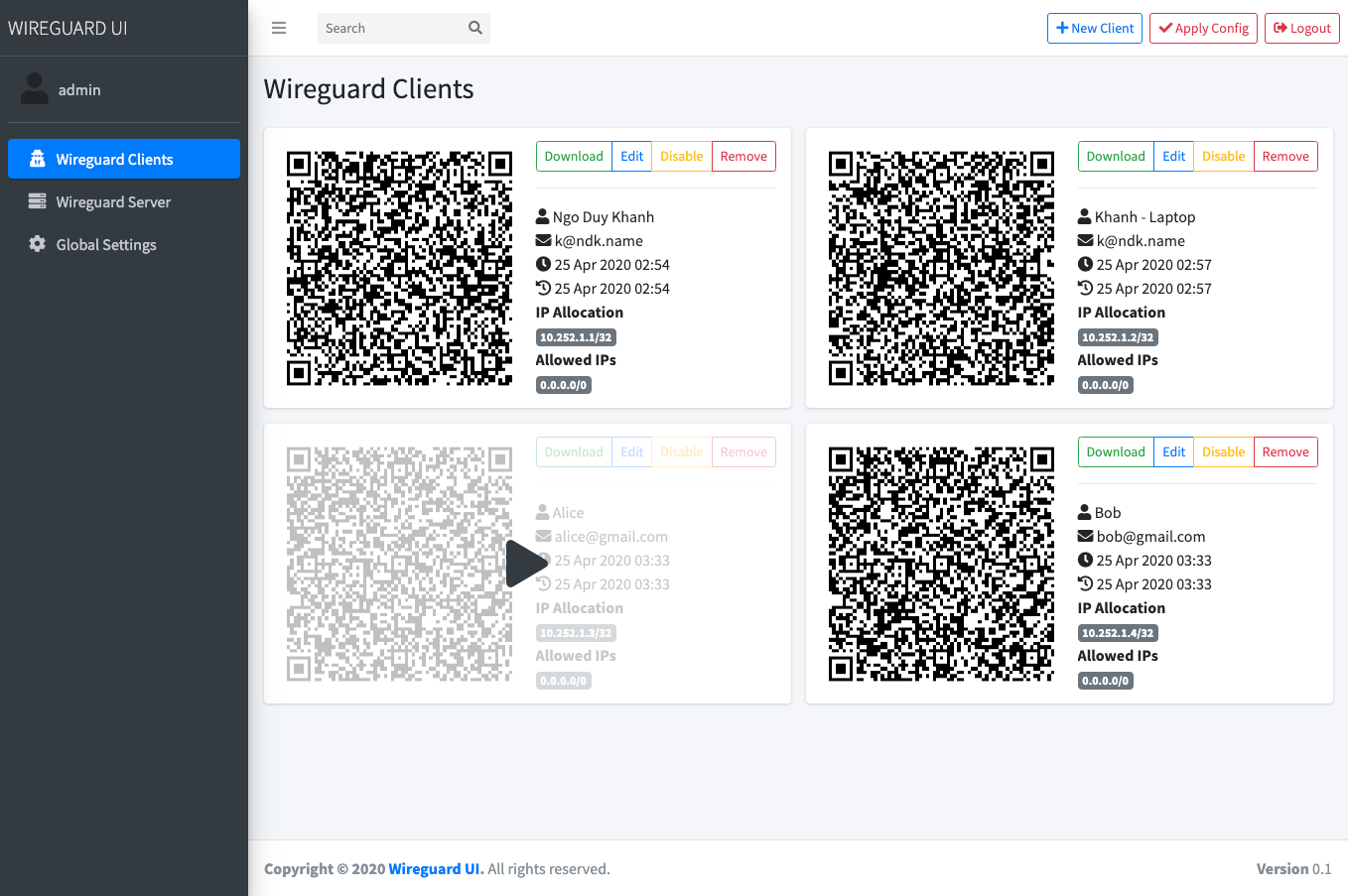
## License
MIT. See [LICENSE ](https://github.com/ngoduykhanh/wireguard-ui/blob/master/LICENSE ).
2020-05-17 14:38:26 +07:00
## Support
If you like the project and want to support it, you can * buy me a coffee * ☕
<a href="https://www.buymeacoffee.com/khanhngo" target="_blank"><img src="https://cdn.buymeacoffee.com/buttons/default-orange.png" alt="Buy Me A Coffee" height="41" width="174"></a>